Architecting Your Microsoft SQL Server Workloads on VMware Cloud Foundation

Introduction:

I have attended this session in Explore 2024 Las Vegas and here is what I have learnt from this session in regards to architecting Microsoft SQL Server in the vSphere Environment. Even though the session heading shows that it is about VCF ( VMware Cloud Foundation), the reality is that these suggestions and recommendations are for vSphere. VCF is a combination of vSphere, VSAN, NSX and Aria Suite.

NOTE: I know its already close to VMware Explore 2025 but I found these on my phone from last year’s Explore and wanted to Post before I totally forget about these options in regards to SQL Server and its Performance on vSphere.

Below are few of the improvements to be made to the SQL Server VMs and VMware Best Practices (As shown in Explore 2024)

NUMA: Recommended VCPU Configuration

Storage Best Practices

Best Practices for VM Disk Layout

Network Best Practices

SQL Server High Availability Options

Power Management of the VMs

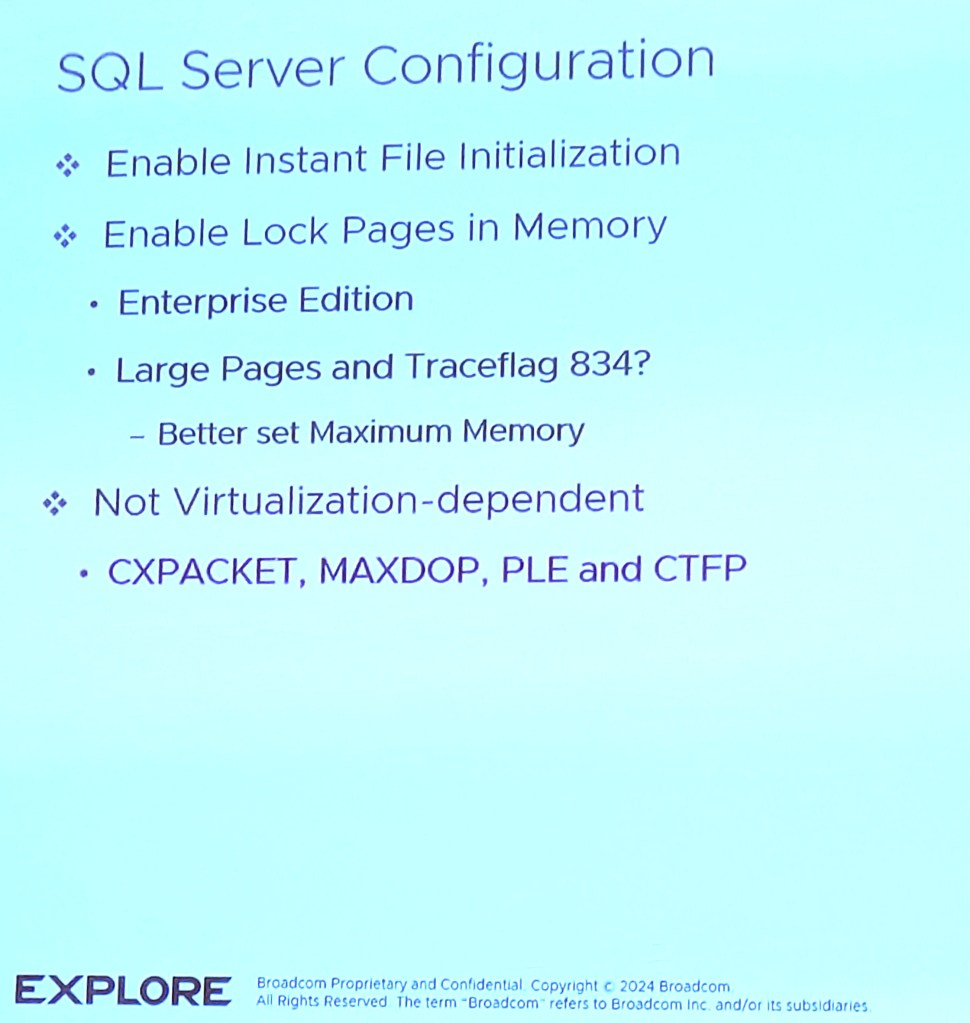
SQL Server Configuration
SQL Server High Availability

Windows RSS Options

SQL Connectivity Issue with vRA 7.4

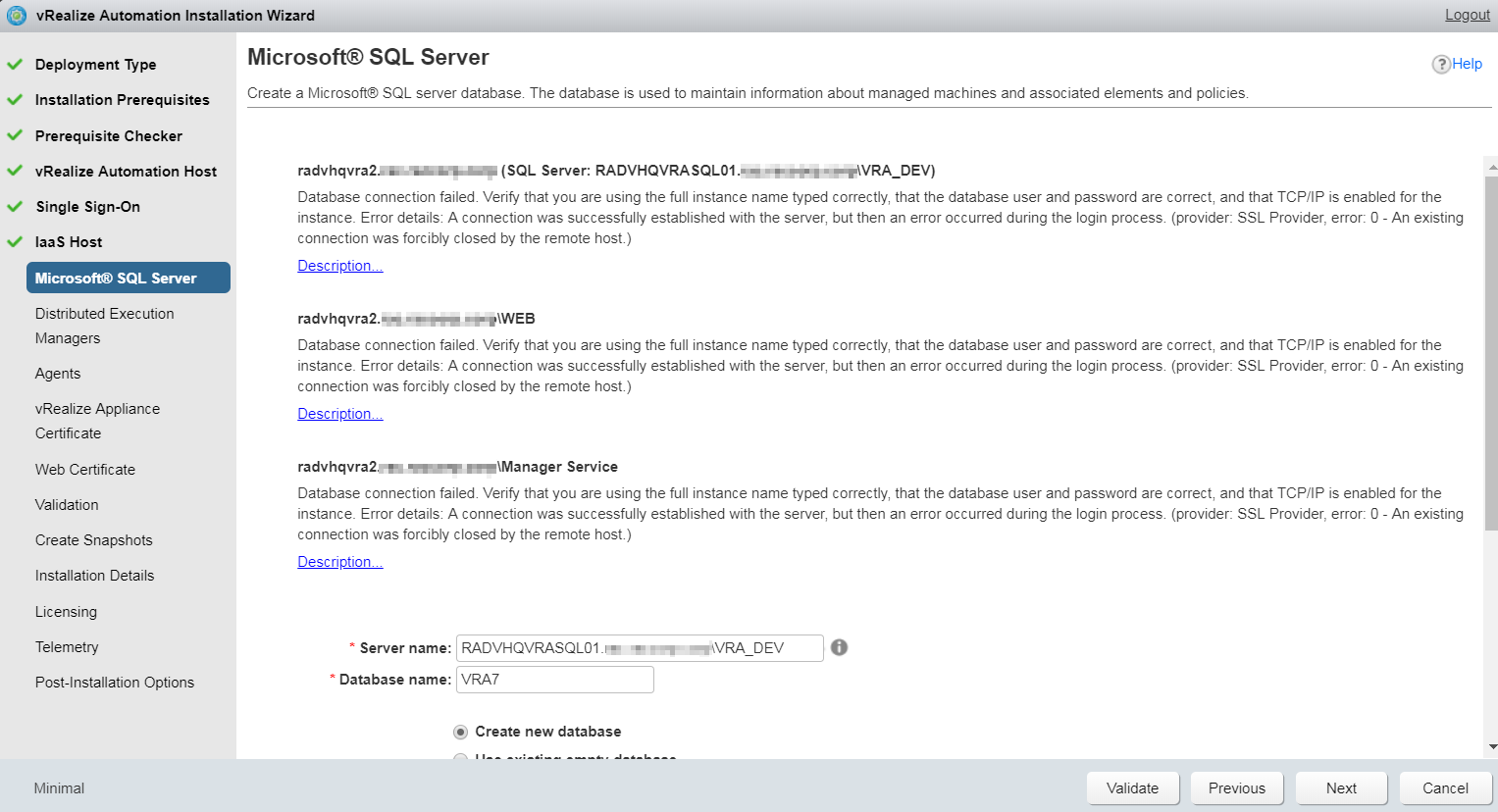
Hello Peeps, Recently I was configuring vRA 7.4 at a customer’s place and came across an issue where the vRA appliance tries to talk to the external SQL server and fails with an error.

Here is the error:

SQL_Config_Issue01

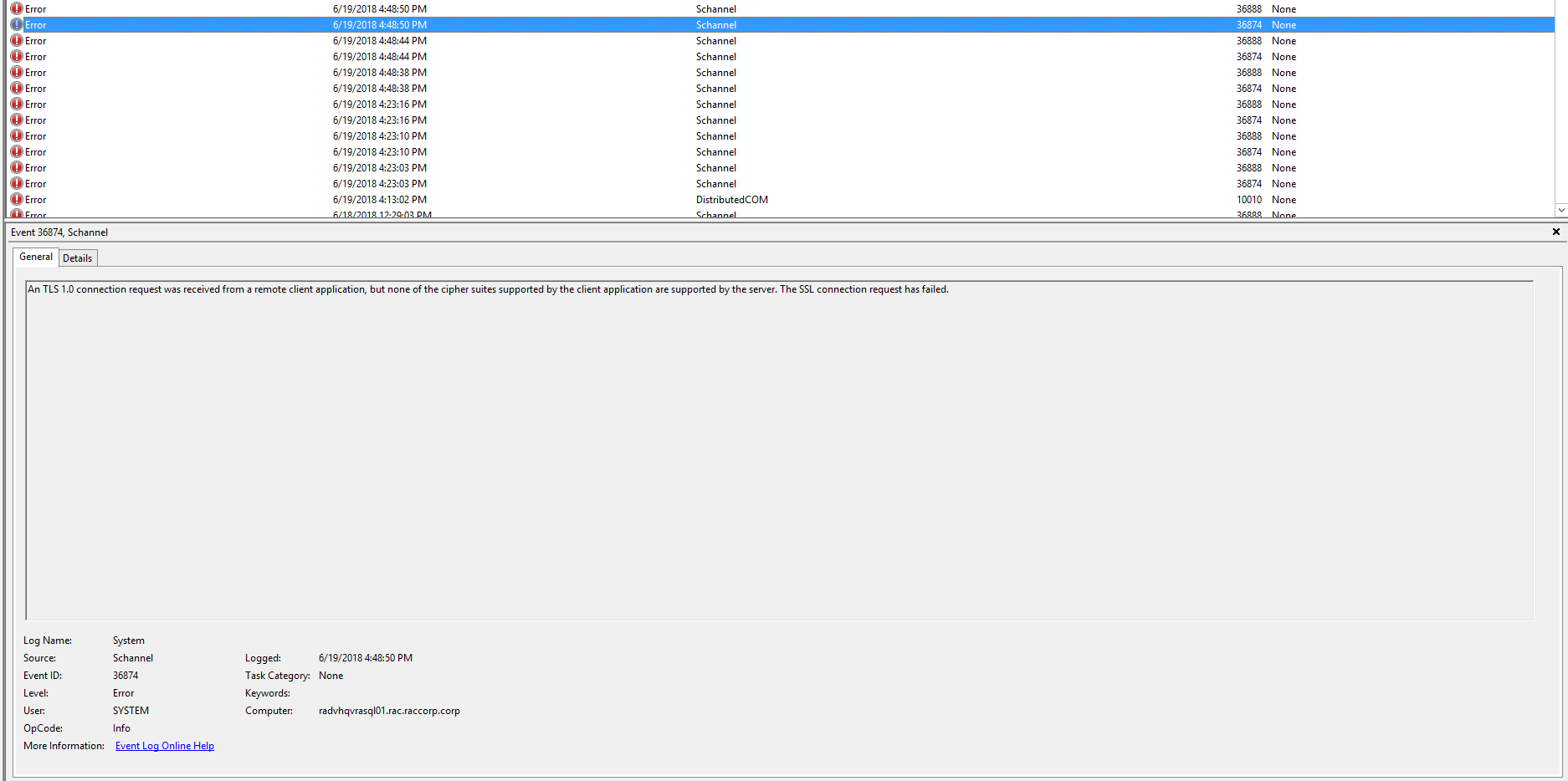
After digging into the logs on both vRA and on the SQL server, here is what was determined as the issue

The SQL server has TLS 1.0 disabled and the vRA appliance was trying to communicate to the SQL server using TLS 1.0 instead of TLS 1.2 as the client has disabled TLS 1.0 on all its windows servers.

SQL_Config_Issue02

Troubleshooting steps tried:

Tried enabling TLS 1.0 and its Ciphers on the SQL server with no success

Checked with the Firewall team and they said that there is no firewall between the vRA appliance and the SQL server

Tried this in a different environment and it worked fine, just doesn’t work in this particular environment.

Conclusion:


Looks like the issue was with the SQL server and its Service Pack. SQL Server 2012 needs SP3 or higher to accept TLS 1.2 protocol. As soon as I upgraded my SQL server to SQL 2012 SP4, the communication worked fine and the vRA appliance was able to talk to the SQL server!!

Hope this helps in case you come across this issue.